
- Version 0.0.95 is now available
Issues Addressed
- An issue with Portable DanceWizard USB drives, where the application may fail to start due to a missing license file, has been fixed.
- The dance ratings have been hidden until I explore a way of providing this in a way that isn’t publicly visible when you’re cueing.
June 20, 2022
- Version 0.0.94 is now available
Issues Addressed
- An application failure when marking a dance as needing to be fixed from the Play window has been fixed. This would only happen if the dance database hasn’t been upgraded to support DanceWizard features.
- A failure in cue card processing where there is a table following the cues has been fixed.
New Features
Dance Ratings
In addition to a dance’s Preferred flag, a rating of 0 to 5 stars can be assigned. You can use this to organize your dances into how preferred any particular dance may be. This new rating can be displayed on the dance selection window (click a column heading and add the Rating field).
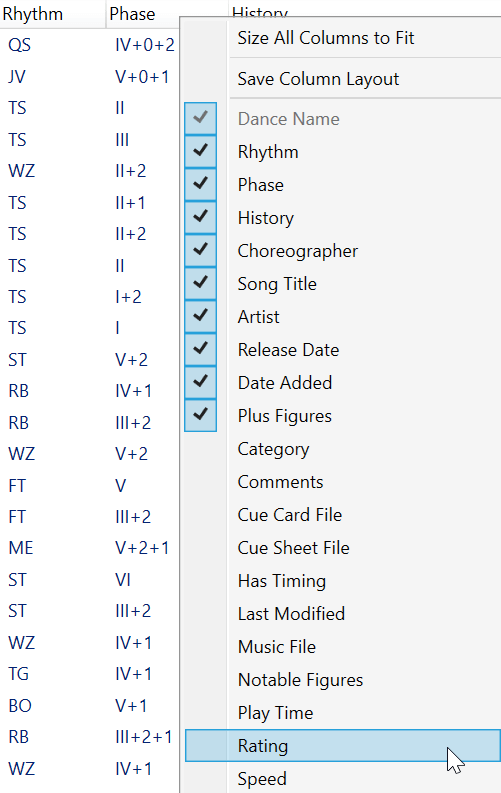
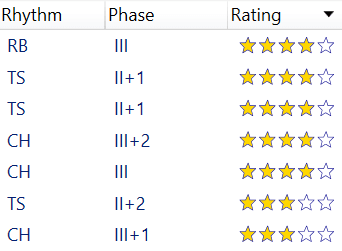
After adding this field you will have a Rating column that displays stars (similar to movie ratings). Clicking the rating column header will sort your dances by rating.
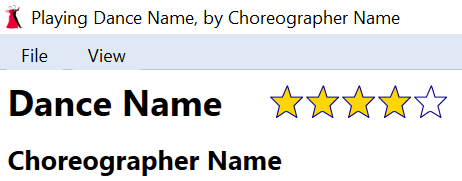
The play window displays the rating of a dance as part of the header. You can click on the stars in the play window to change a dance’s rating. Hold the Control key down when clicking on a star to turn that star off (useful if you want to set no stars).
A dance’s rating can also be changed from the Edit Dance window.
June 19, 2022
- Version 0.0.93 is now available
Issues Addressed
- A possible application failure when closing the play window while a dance is playing has been fixed.
- An issue where music and voice cues playback becomes out of sync with the karaoke has been fixed. This could happen if you start playing a dance, then pause, then select a bookmark to reposition the dance, and then use the slider to reposition.
- The volume control sliders have been made more responsive for changes in music or voice cues volume. This can be disabled if you prefer the old behavior by clearing the Logarithmic volume control enabled checkbox on the Audio tab of the Settings window.
New Features
- Additional changes to better support larger than normal font sizes (this can be changed in Windows under Settings > Accessibility > Text size) have been implemented.
- When creating a bug report using a beta test license DanceWizard will now ask for your email address.
- Dances that are in the current playlist are displayed with a beige background on the selection and history windows. This helps when building a large playlist to see which dances are already present.
- Hovering the mouse over a dance in the selection or history window, or in a playlist, now displays some additional information about the dance.
May 29, 2022
- Version 0.0.92 is now available
Issues Addressed
- Phase 1 dances can now be selected in the dance selection window.
- An issue where selecting dances in the history window by time frame was ignored has been fixed.
- An issue where setting a bookmark on a cue before timing a dance would cause a database update failure has been fixed.
- Changing the speed of a dance wasn’t showing updated time durations in the playlist (and elsewhere). This has been fixed.
- Issues importing and exporting dance modules with video files located somewhere other than the Video Files subfolder have been fixed.
- An issue where two laptops using remote controls at the same could cause some interference has been fixed.
- An issue where changing a dance’s play speed didn’t update the play time shown in a playlist or the play times shown in the play window has been fixed. These will now display times correctly adjusted based on the play speed of the dance.
New Features
The following features are to address display problems when text size is larger than normal (this can be changed under the Windows Settings > Accessibility > Text size). The larger font size causes text on buttons to be truncated as well as other parts of windows to not be visible.
There is still some more work that needs to be done so that running with larger font sizes works properly. This will be in a future update.
Selection Window Panels
The selection criteria panel on the Selection window where you filter the list of displayed dances and the history and playlist panel on the right of the screen can now be resized. Between these panels and the list of dances are light blue dividers that can be clicked on and dragged to change the size of these panels.
These dividers are highlighted in red in the following screenshot.
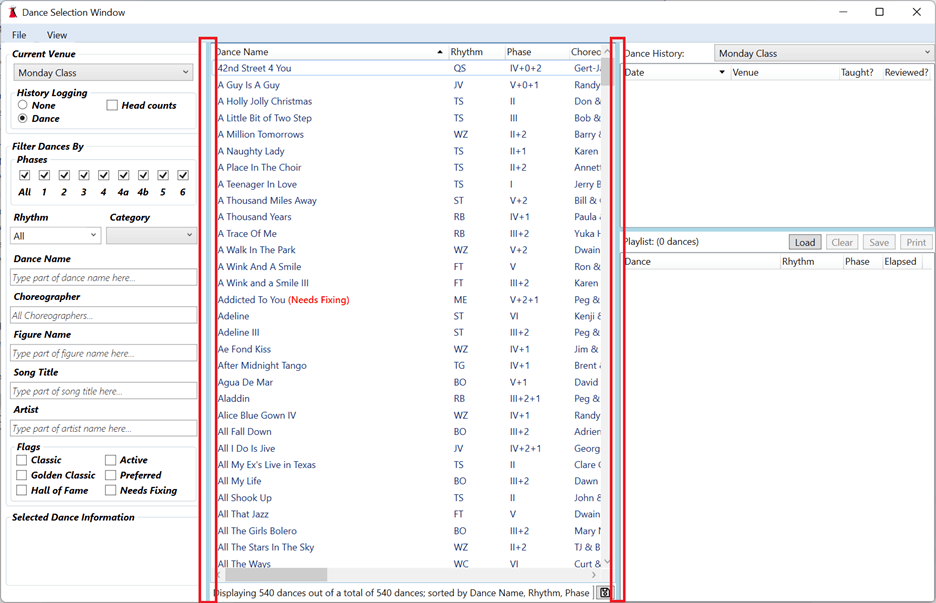
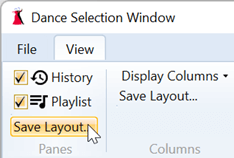
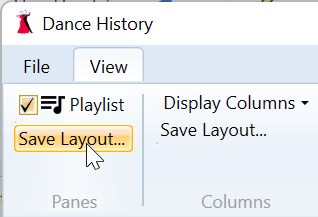
Changes to the sizes of these panels are saved by clicking the Save Layout… option on the View > Panes menu.
Play Window Panel
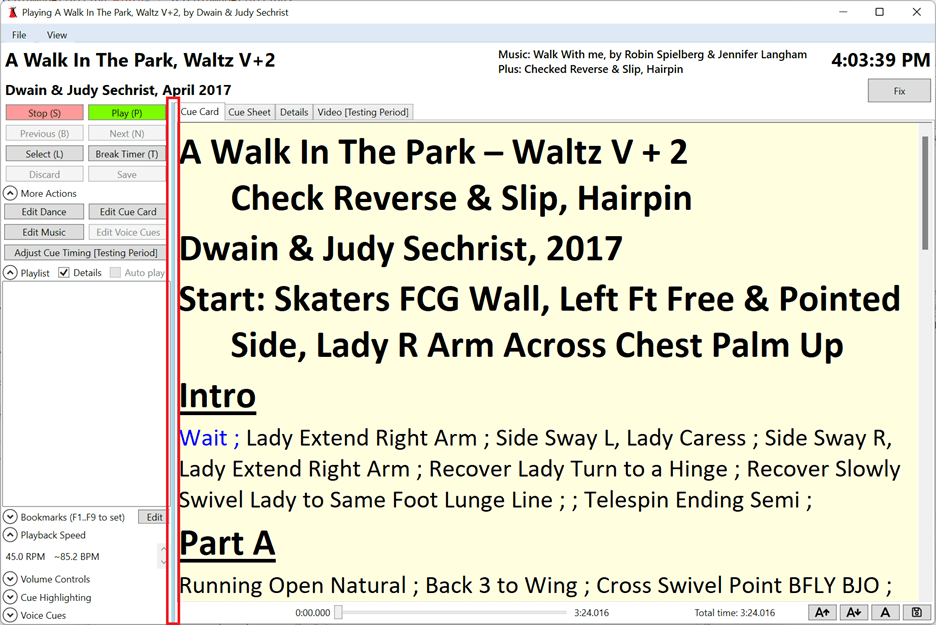
The controls and playlist panel on the Play window can now be resized. Between that panel and the cue card section is a light blue divider that can be clicked on and dragged to change the size of the panel.
This divider is highlighted in red in the following screenshot.
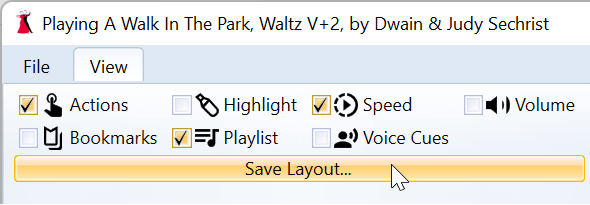
Changes to the size of this panel are saved by clicking the Save Layout… option on the View menu.
History Window Panels
The selection criteria panel on the History window where you filter the list of displayed dances and the playlist panel on the right of the screen can now be resized. Between these panels and the list of dances are light blue dividers that can be clicked on and dragged to change the size of these panels.
These dividers are highlighted in red in the following screenshot.
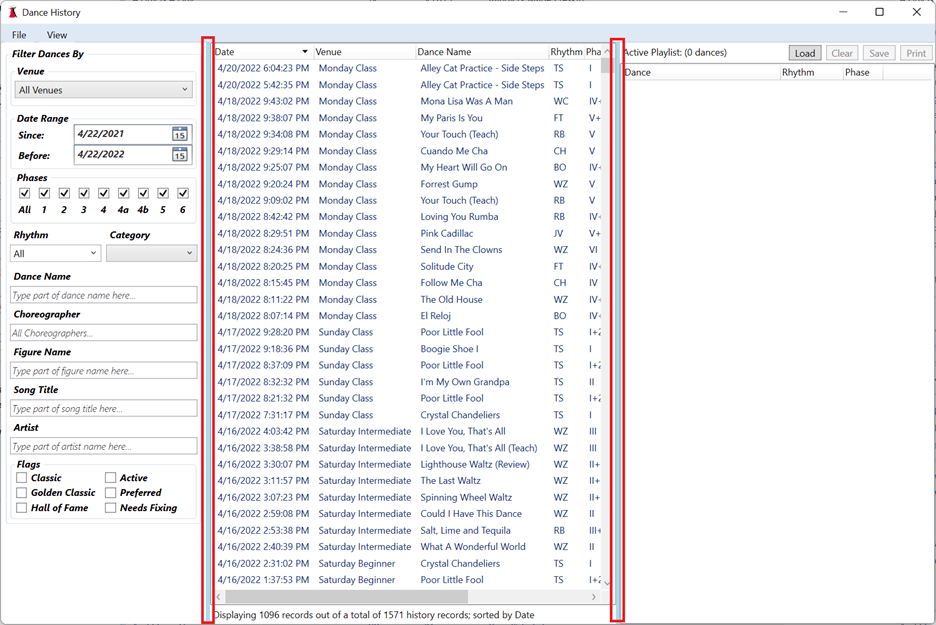
Changes to the sizes of these panels are saved by clicking the Save Layout… option on the View > Panes menu.
April 24, 2022
- Version 0.0.91 is now available
Issues Addressed
- Application failures from playing a non 45 RPM dance on systems with a language using comma instead of period as a decimal point (1,5 instead of 1.5) have been fixed.
- An issue where the per-dance history displayed on the selection window wasn’t updating when a dance was played has been fixed.
- An issue where modules containing a dance name or file name containing diacritic marks (like “Cúrame” or “Cúrame.mp3”) weren’t correctly importing to or from DanceMaster has been fixed.
- Rhythm beats per measure and beats per minute weren’t getting set when the database was updated to add these fields. Because of this the play window wasn’t showing BPM values with the play speed or flagging a speed outside the defined range for the rhythm. This is fixed by prompting you to update your database.
- An issue where double clicking the scrollbar in the dance selection window was opening the last selected dance has been fixed.
New Features
Graphical Dance History
- The dance selection window can now graphically display when a dance was last played at the currently selected venue.
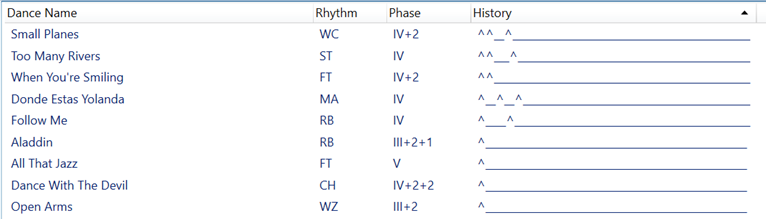
- The display shows the last 52 weeks (using ^ to indicate the dance was played and _ to indicate the dance was not played).
- Right click a column header to add this to your display.
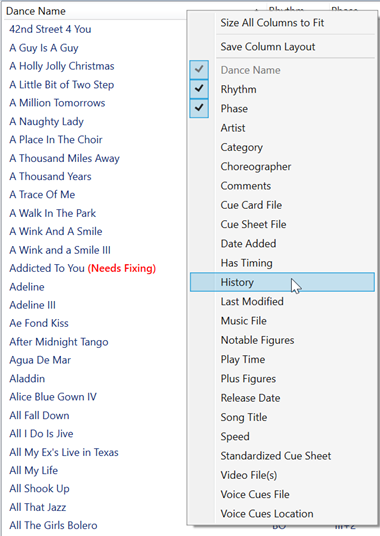
- This view can be saved by right clicking a column header and selecting Save Column Layout.
- Clicking the History column header will sort the dances by when they were last played.