
- Version 0.0.85 is now available
This update addresses the following issues:
- An issue in some cue cards that causes karaoke at the end of the dance to scroll down has been fixed.
- An issue where changing the voice cues offset (to have them earlier or later in the audio output) wasn’t noticed has been fixed.
- An issue where changing the voice cues offset in a dance wasn’t noticed has been fixed.
This update also includes the following new features:
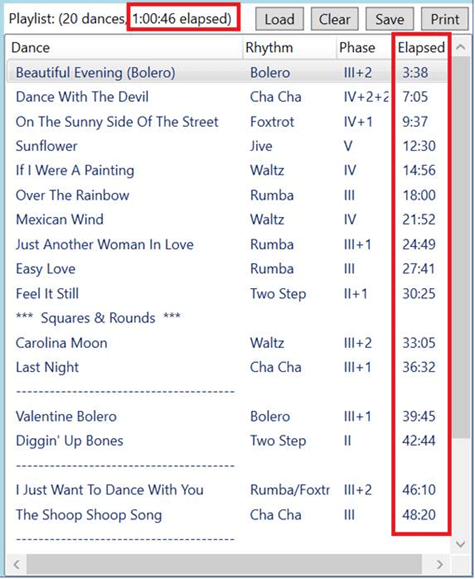
- The playlist now has support for section headers. Right click in the playlist to insert a new section header. Section headers can be used to group the dances in the playlist.
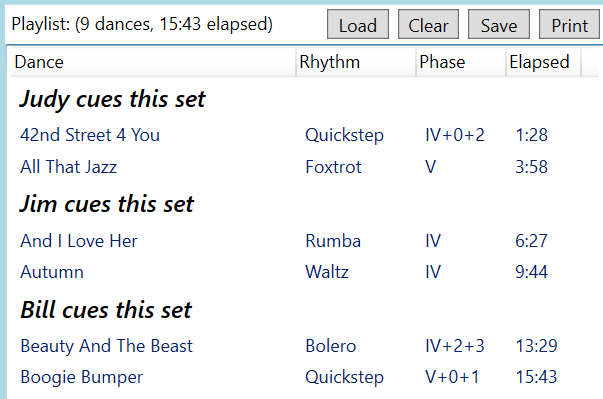
- The playlist displayed in the Play window can now be modified. Dances can be dragged within the playlist as needed to reorder them.
- A cue card color picker has been added to the Settings window.
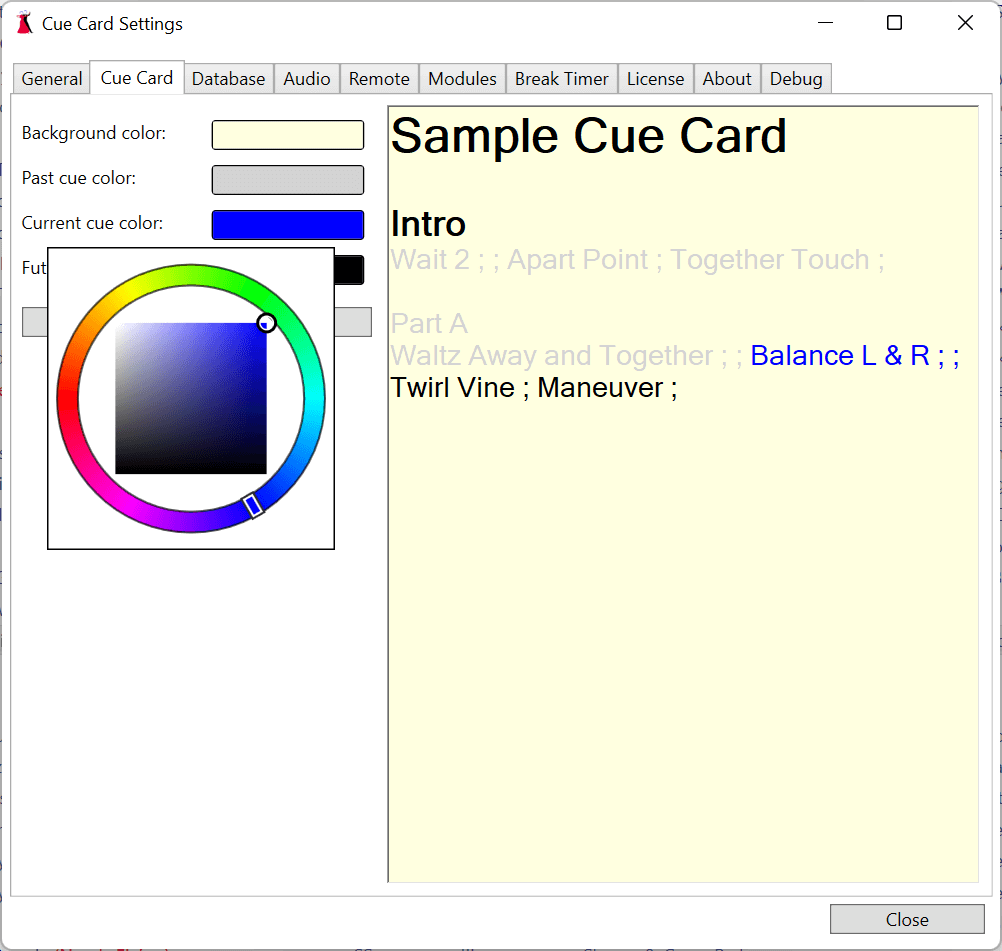
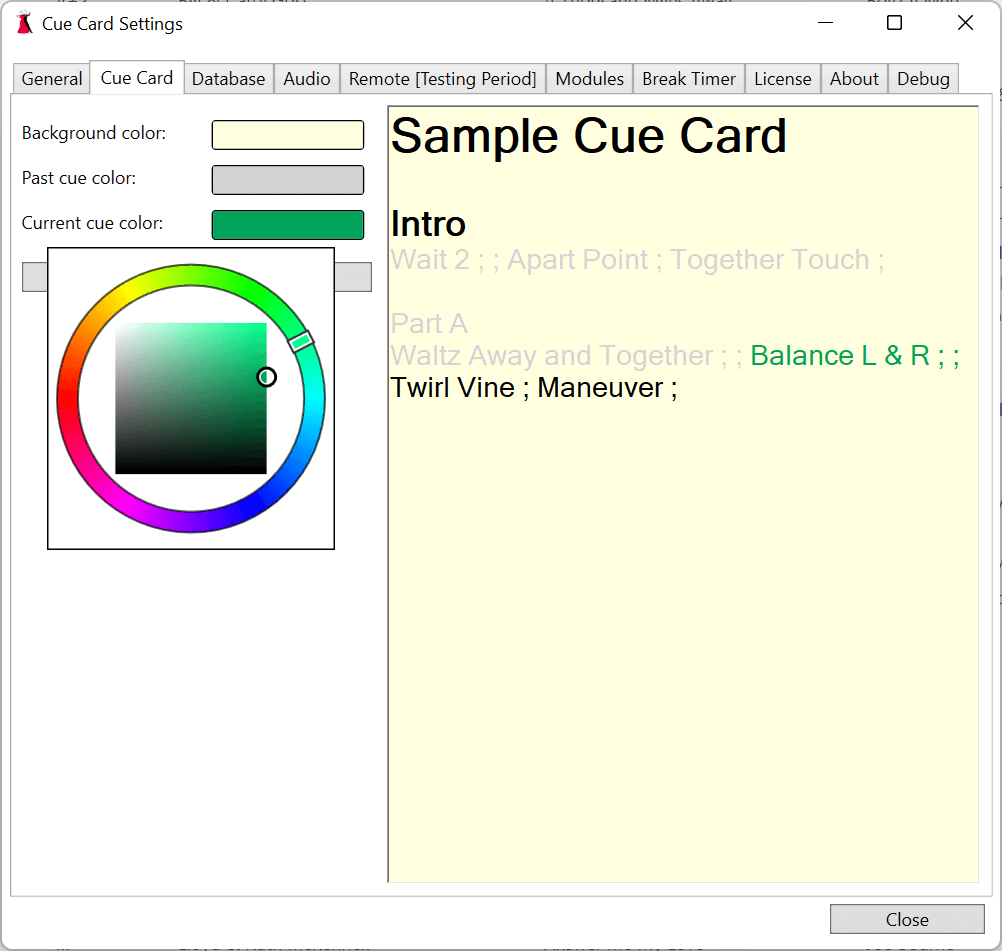
- Clicking on any of the color swatches will allow you to change the colors used when cue cards with timing are displayed. The sample cue card will automatically update as you change the color.
This update includes the following additional changes:
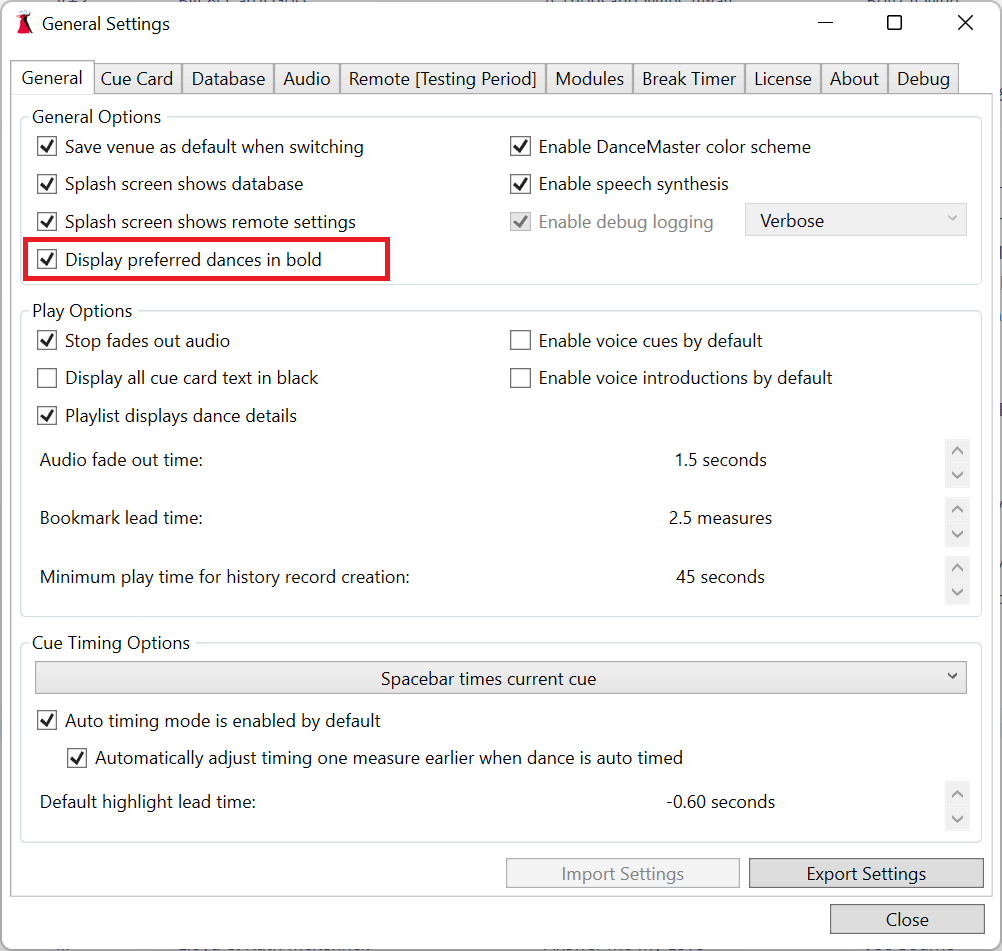
- Dances that are marked as preferred now show in bold on the dance selection window. If you’d rather they not be in bold this can be changed in the General Settings.
December 19, 2021
- Version 0.0.84 is now available
This update includes bug fixes for:
- An issue when dragging the play time slider to reposition the music causes the slider to randomly move around has been fixed.
- An issue in processing some unusual cue cards that causes the karaoke to be incorrectly highlighted has been fixed.
- An issue where some audio files would fail to load has been fixed.
This update also includes the following new features:
- The original cue card font colors are now restored when a dance finishes playing.
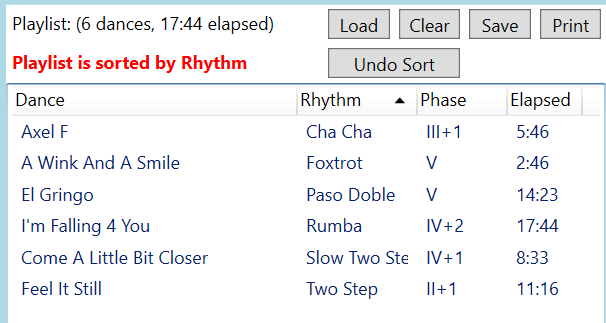
- Playlists can now be sorted by clicking a column header. When sorted an Undo button will now be present to clear the sort.
December 5, 2021
- Version 0.0.83 is now available
This update includes bug fixes for:
- An issue where the drive last used to backup your database is disconnected causes an unexpected application failure when changing the backup location has been fixed.
- An issue where dragging multiple dances in the playlist causes entries to be duplicated and other entries to be removed has been fixed.
This update also includes the following new features:
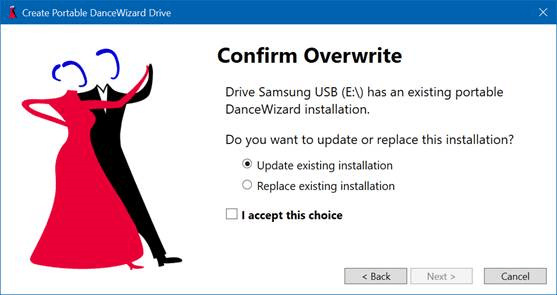
- You can now update an existing portable USB DanceWizard installation. From the File menu select the Make Portable option. After selecting the USB drive containing an existing portable DanceWizard you will be given an option to update that drive with changes or completely replacing the drive’s contents.
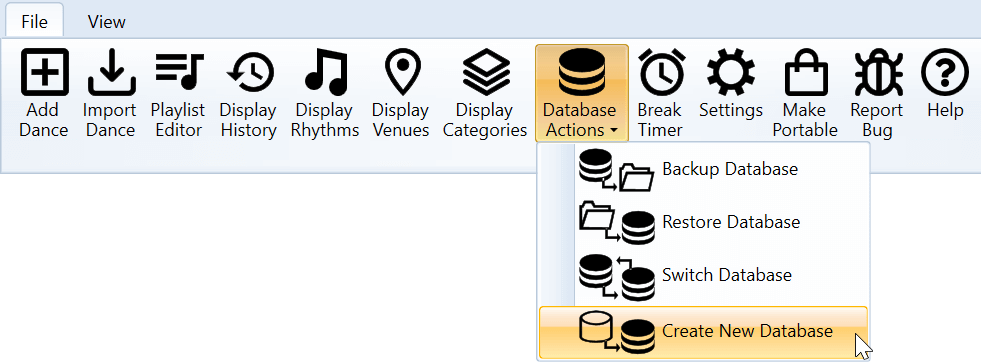
- Creating a new empty dance database is now available. Use the File menu Database Actions option to select Create New Database.
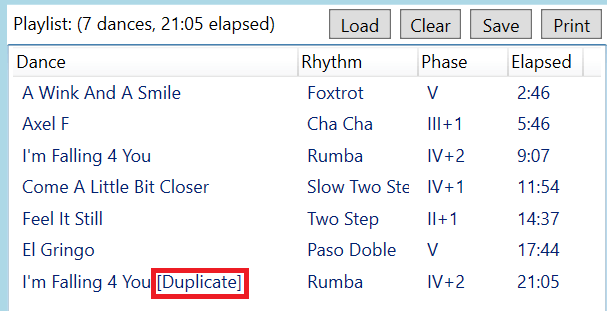
- Dances duplicated in the playlist are now marked “[Duplicate]” to allow them to be easily seen in case this was unintentional.
November 19, 2021
- Version 0.0.82 is now available
This update includes bug fixes for:
- The ability to sort the playlist on the dance selection window has been removed, as there’s no easy way to restore the original order if you accidentally trigger the sort by clicking a column header. Playlist sorting is available in the left panel of the Playlist Editor window.
- Filtering and dance selection is now insensitive to diacritic marks. This means that if your dance is named “Cúrame” and you type “curame” you’ll find the dance.
- Window resize grips (in the bottom right of the window) have been removed as they interfered with scroll bars on some windows.
- An issue when retiming a dance where a cue other than the first cue of the dance was highlighted at the start of retiming has been fixed.
- An issue where changing the Bookmark Lead Time under Settings was being ignored has been fixed.
This update also includes the following new features:
- A new database field for music play time has been added. Music play time is available as a column on the dance selection window (right click a column header and select Play Time or use the View menu Display Columns option to add Play Time to the display).
- The Play window now includes a digital clock in the upper right corner.
- Installing DanceWizard now creates a shortcut on the desktop.
November 8, 2021
- Version 0.0.81 is now available
This update includes bug fixes for:
- When adjusting cue timing or retiming a dance always position to the initial cue in the cue card.